





SDK Initialization

Chatbot SDK Initialization
- iOS SDK
- Android SDK
- Download Chatbot SDK from here.
- Add Chatbot Framework to your project from.
- Add the following pods file to your project.
- Add the below code to your project.
- Last step: Run your application
DOWNLOAD CHATBOT SDK FROM HERE:Copy to clipboard
Your Project -> general -> framework libraries and embedded content -> add other
ADD CHATBOTFRAMEWORK TO YOUR PROJECT FROM.pod ‘Firebase/Firestore’ pod ‘Firebase/Auth’ pod ‘Firebase/Messaging’ pod ‘Firebase/Storage’ pod ‘ADCountryPicker’ pod ‘PaddingLabel’ pod ‘TwilioVoice’ pod ‘AMDots’ pod ‘DropDown’ pod ‘Cosmos’ pod ‘SwiftJWT’ pod ‘RichString’ pod ‘SVGKit’ pod ‘IQKeyboardManagerSwift’
ADD THE BELOW CODE TO YOUR PROJECT.let frameWorkBundle = {FRAMEWORKBUNDLE} let storyBoard = UIStoryboard(name: “Main”, bundle: frameWorkBundle) let mainViewController = storyBoard.instantiateViewController(withIdentifier: “ChatViewController”) as? ChatViewController mainViewController?.manifestComapnyID = {COMPANY_ID} mainViewController?.manifestChatbotId = {BOTID} mainViewController?.manifestAgentId = {AGENTID} mainViewController?.modalPresentationStyle = .fullScreen self.present(mainViewController!, animated: true, completion: nil)
- Download Chatbot SDK from here.
- Generate google-service.json file from Firebase console and add inside ‘app’ folder.
- Download SDK file to put inside of libs folder.
- Add dependencies code in the app build.gradle file.
- Following dependencies inside ‘buildscript’ project build.gradle file.
- In App level manifest file.
- Add the below code from where you want to open Chatbot
- Last step : Run your application
ADD Chatbot FRAMEWORK TO YOUR PROJECT FROM.dependencies { //============= lifeCycle annotation processor dependency for java 8 ========= implementation “androidx.lifecycle:lifecycle-common-java8:$lifecycle_version” //=============nsions of viewModel, liveData etc ======= implementation “androidx.lifecycle:lifecycle-extensions:$lifecycle_version” //============= used in User authentication by fireBase ====================== //api “com.google.firebase:firebase-auth:$firebase_auth” //============= used to upload and share contents like images,videos and file on fireBase cloud storage ========= implementation“com.google.firebase:firebase-core:$firebase_core” api “com.android.volley:volley:$volley_version” implementation “com.google.android.material:material:$google_material” implementation “androidx.appcompat:appcompat:$androidx_appcompat” implementation “androidx.core:core-ktx:$androidx_ktx” api “androidx.activity:activity-ktx:$activity_ktx” api “androidx.fragment:fragment-ktx:$fragment_ktx” implementation “org.jetbrains.kotlin:kotlin-reflect:$kotlin_version” // Dimens api “com.intuit.sdp:sdp-android:$sdp_android” api “com.intuit.ssp:ssp-android:$sdp_android” api “androidx.constraintlayout:constraintlayout:$androidx_constraintlayout” // glide implementation “com.github.bumptech.glide:glide:$glide” implementation “com.google.firebase:firebase-storage-ktx:$firebase_storage” kapt “com.github.bumptech.glide:compiler:$glide_compiler” // No need to change //=================== used for static visual elements ============ implementation “com.caverock:androidsvg-aar:$caverock_svg” //============= Used to show colors =============== implementation “com.github.matthewyork:ColoursLibrary:$coloursLibrary” api “com.google.firebase:firebase-firestore:$firebase_firestore” implementation “com.google.firebase:firebase-auth-ktx:$firebase_auth_ktx” //implementation(“com.android.support:support-annotations:$support_annotations”) //================ Used in fileUtils in ChatBotActivity ========================= implementation “commons-io:commons-io:$commons_io” } apply plugin: ‘com.google.gms.google-services’
FOLLOWING DEPENDENCIES INSIDE ‘BUILDSCRIPT’ PROJECT BUILD.GRADLE FILE://=========== It should be above plugins for latest android studio ================= buildscript { repositories { mavenCentral() } dependencies { classpath“com.google.gms:google-services:4.3.2” } } ext.kotlin_version = “1.4.32” ext { google_services = ‘4.3.2’ androidx_ktx = ‘1.3.2’ androidx_appcompat = ‘1.2.0’ google_material = “‘1.3.0’ androidx_constraintlayout = ‘2.0.4’ androidx_liveData = ‘2.3.0’ androidx_viewModel = ‘2.3.0’ junit = ‘4.12’ androidx_espresso = ‘3.3.0’ firebase_core = ’19.0.1’ lifecycle_version = ‘2.2.0’ firebase_core = ’17.2.1’ volley_version = ‘1.2.1’ activity_ktx = ‘1.2.3’ fragment_ktx = ‘1.3.5’ sdp_android = ‘1.0.6’ glide = ‘4.12.0’ glide_compiler = ‘4.12.0’ caverock_svg = ‘1.4’ coloursLibrary = ‘1.0.+@aar’ firebase_firestore = ’23.0.3’ firebase_auth_ktx = ’21.0.1’ //support_annotations =’28.0.0’ commons_io = ‘2.7’ firebase_auth = ’21.0.1’ firebase_storage = ’20.0.1’ }
FOLLOWING DEPENDENCIES INSIDE ‘BUILDSCRIPT’ PROJECT BUILD.GRADLE FILE:tools:replace= “android:allowBackup,android:icon”
ADD THE BELOW CODE FROM WHERE YOU WANT TO OPEN CHATBOTChatBotActivity.initialize( newUserId, newAgentId, newBotId, chatbotSupportUrl?:"", botType?:"" ) val intent = Intent(this, ChatBotActivity::class.java) startActivity(intent)
Appy Pie Chatbot SDK
Integrate chatbots into your apps without any coding.

Improve Your Customer Service
Integrating a chatbot with your mobile has never been so easy. All you need is to use our code-free chatbot builder and add the chatbot to your mobile application. This chatbot will work as a virtual assistant for your customers. It will help your app visitors to find the answers to their queries, solve issues, and even provide support when needed.

Save Time and Money
Appy Pie Chatbot SDK integrations allow you to add chatbot functionality to your existing applications without having to build a chatbot from scratch. This can save you time and resources, and allow you to focus on other areas of your business. Appy Pie Chatbot SDK integrations also make it easy to connect your chatbot to multiple applications and platforms.
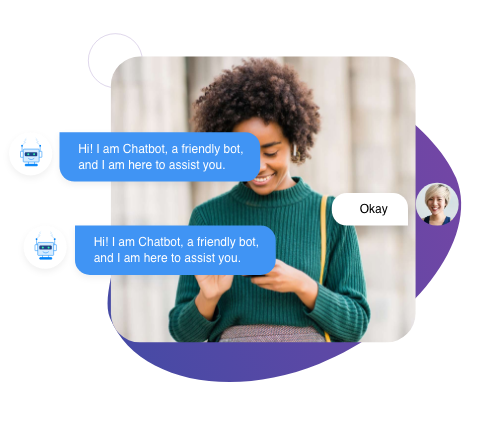
Increase Sales Performance
Appy Pie Chatbot SDK integrations increase sales performance by automating the tasks of customer service representatives in an effective way. Appy Pie Chatbot SDK also allows you to connect with your customers and prospects on multiple channels. The Appy Pie Chatbot SDK allows you to create powerful chatbots that meet the needs of your business.
Feature of the Chatbot SDK Integrations
Faster Integrations
Integrate chatbots directly into your apps and take your customer support to the next level. Appy Pie Chatbot provides Android SDK, and iOS SDK that allow you to integrate chatbots in your Android and iOS apps in just a few clicks, and all without writing a single line of code.
Affordable Way to Provide In-App Customer Support
Appy Pie Chatbot SDK Integrations are also very affordable, which means that you won’t have to spend a lot of money to get started with them. Appy Pie Chatbot SDK Integrations come with a wide range of features that you can use to customize your chatbot according to your specific needs.
Analytics and reporting tools to track bot performance
Appy Pie Chatbot SDK Integration provides analytics and reporting tools to track bot performance such as user engagement, conversion, and retention. You can also track user demographics such as age, gender, location, and interests to better understand your user base. All this data is valuable in understanding how your chatbot is performing and what areas need improvement.
Integrate with Your Favorite Apps

With SDKs, you can have greater reach and more opportunities to target your audience on multiple channels. The best marketing teams use multiple channels to reach their audience. Integrating chatbots with your favorite service platforms, you can deliver personalized messages across multiple channels and convince a larger number of people to take action.
SDKs also make it easier to manage your user data. With SDKs, you can segment your users and target them with specific messages. You can also track how they interact with your app and what features they use the most. This information can help you improve your app and make it more user-friendly.
Trade Chatbot software for modern messaging
Sign up for a 21-day free trial. No credit card required. No strings attached
Get Started